How to Make a Reservation as an Agent on GHECS (Step-by-Step Booking Guide for 2026)
Ghecs
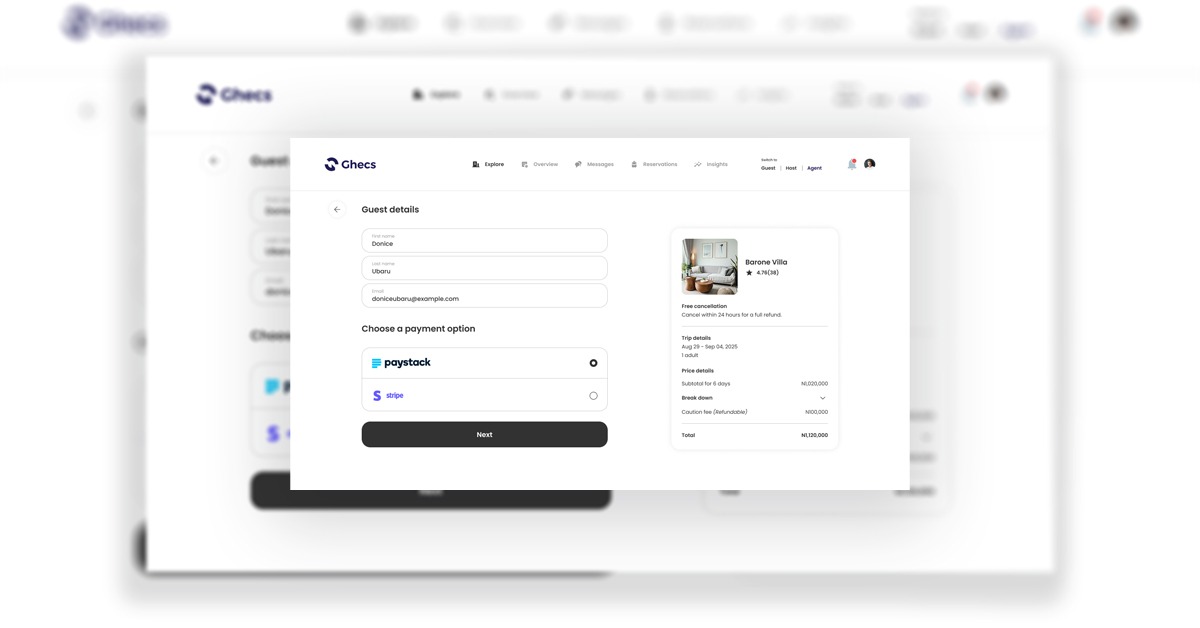
Looking for the easiest way to make a reservation as an agent on GHECS? This complete guide walks you through the GHECS agent booking process, from searching properties to submitting a reservation and tracking it in real time.
Whether you're booking for clients, managing short-let properties, or handling multiple reservations, this guide will help you book faster, avoid errors, and maximize efficiency on GHECS.
Why agents use GHECS
GHECS is a powerful property booking platform for agents, hosts, and guests, allowing seamless reservations for stays, hotels, and event halls.
As an agent, you can:
Search verified properties
Book for clients easily
Track reservations in one dashboard
Earn commissions on bookings
If you want to book properties online as an agent in Nigeria or globally, GHECS simplifies the entire process.
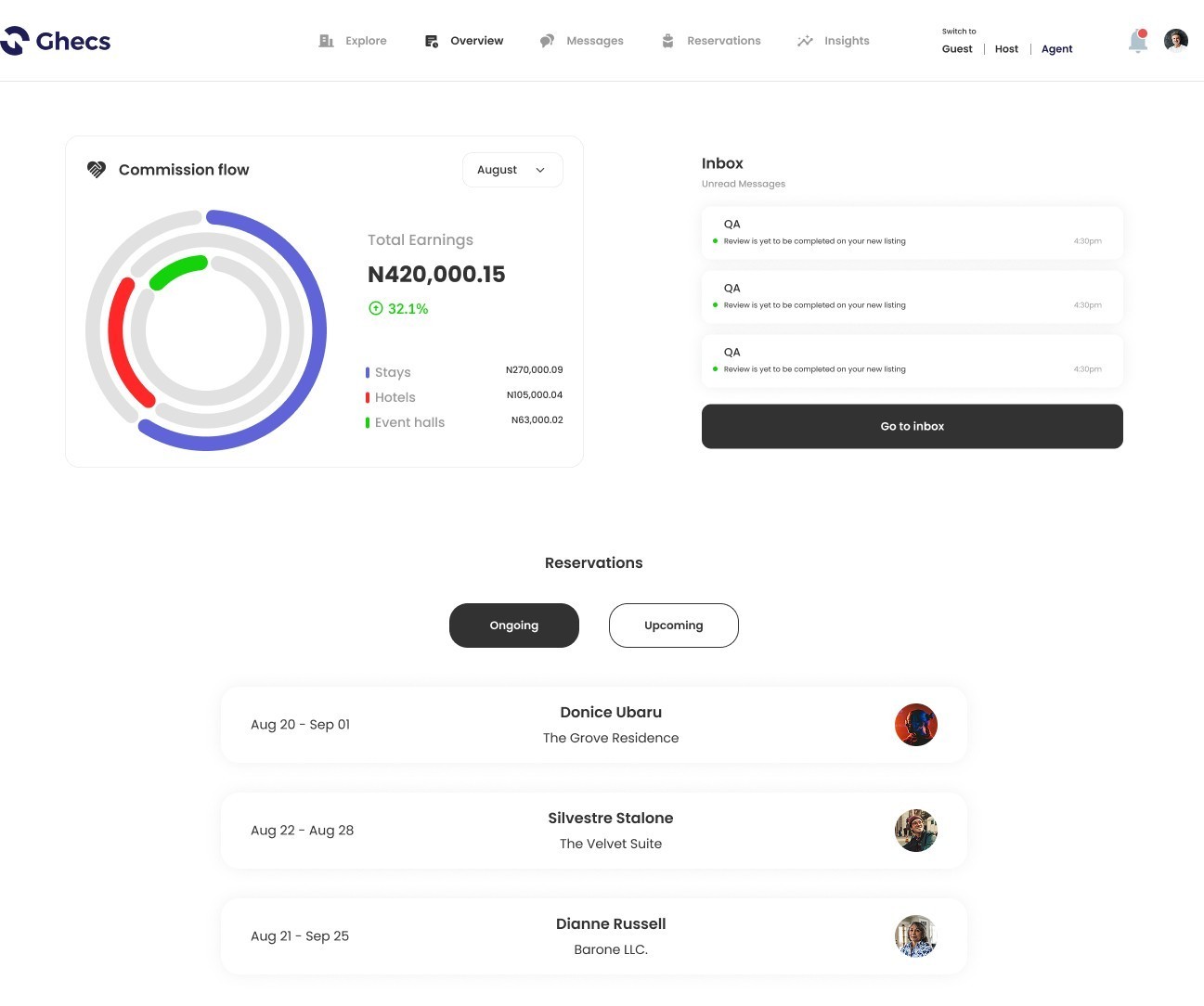
Step 1: Log in and switch to Agent mode
Log into your GHECS account and switch to Agent mode from the top navigation menu.
This unlocks your agent dashboard, where you can access:
Commission flow
Reservations
Inbox and notifications
👉 This is your control center for managing all bookings
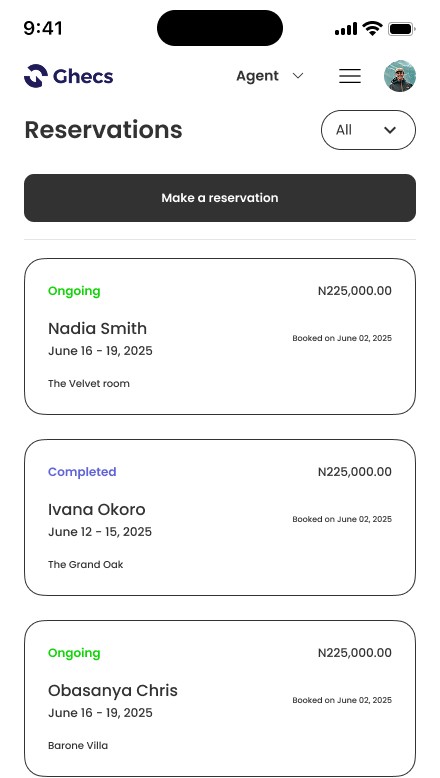
Step 2: Click “Make a reservation”
On your dashboard, click the “Make a reservation” button.
This takes you to the GHECS Explore page, where you can start searching for available properties.
👉 This is the starting point for every agent booking.
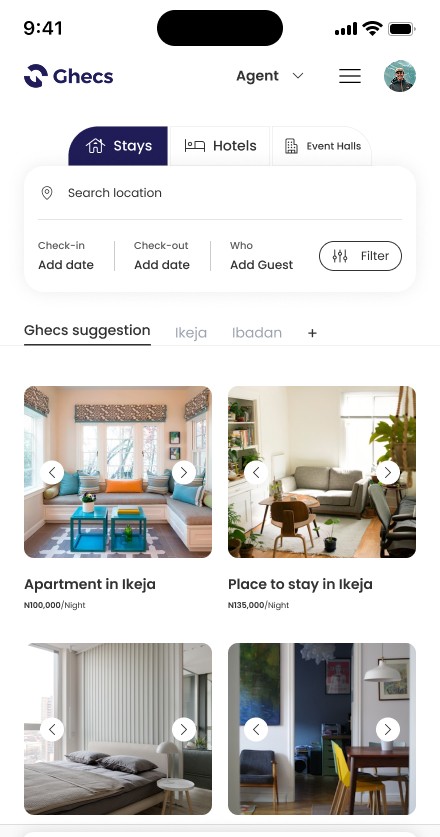
Step 3: Search for properties on GHECS
Use the search bar to enter:
Location (e.g., Lagos, Abuja)
Check-in and check-out dates
Number of guests
You can also filter by:
Property type (Stays, Hotels, Event Halls)
Price range
Amenities
👉 This helps you find the best property for your client quickly.
Step 4: Select and review a property
Click on any listing to view full details, including:
Property images
Amenities (WiFi, pool, electricity, etc.)
Guest capacity
Ratings and reviews
👉 Always review carefully to ensure the property matches your client’s expectations.
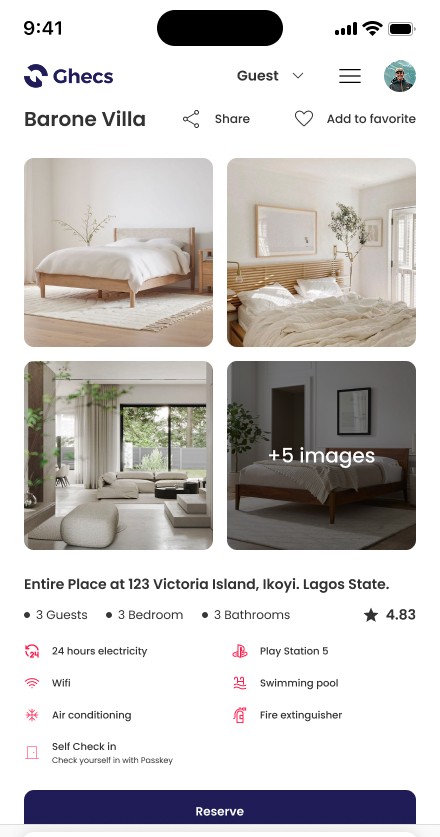
Step 5: Click “Reserve”
Once satisfied, click the “Reserve” button to begin the booking process.
Step 6: Enter guest details
Fill in the guest’s information:
First name
Last name
Email address
👉 Accurate details ensure smooth booking confirmation and communication.
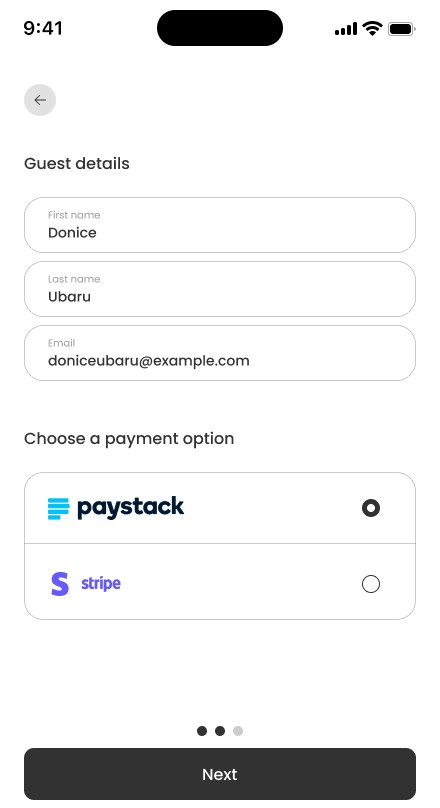
Step 7: Choose a payment method
Select a secure payment option such as:
Paystack
Stripe
Then click Next to proceed.
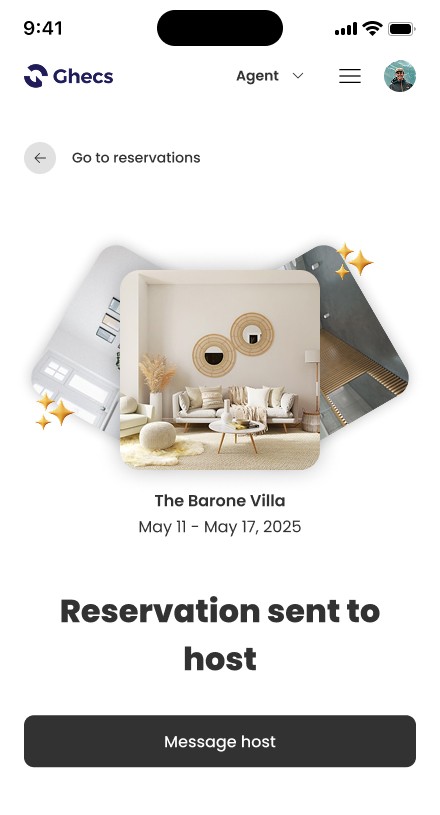
Step 8: Submit reservation to the host
After completing the steps, your reservation will be sent to the host.
You will see a confirmation message: “Reservation sent to host.”
👉 You can also click “Message host” to communicate instantly.
Step 9: Track your reservation
Go back to your dashboard or reservations page to monitor booking status:
Ongoing
Completed
👉 This allows agents to manage multiple bookings efficiently.
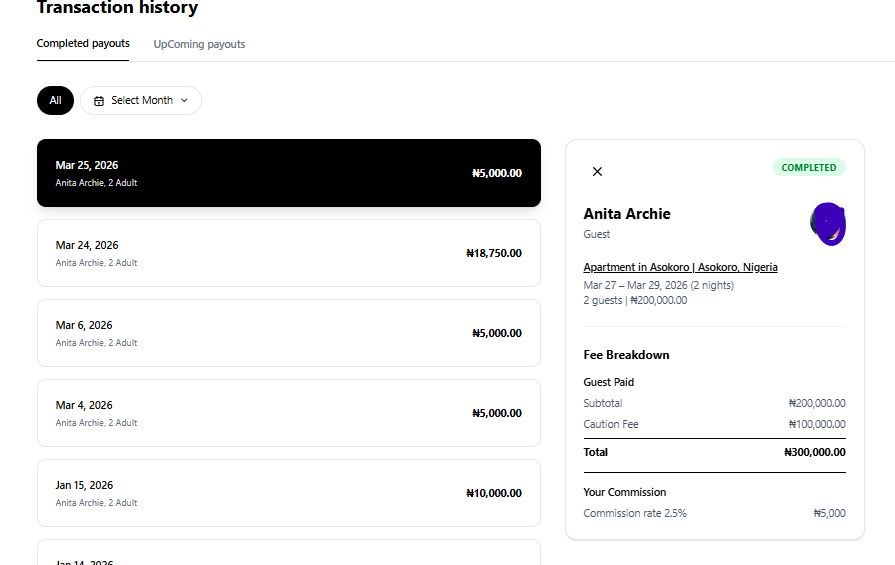
Step 10: View your earnings and payouts
Go to Insights from your Agent dashboard to view your earnings.
See transaction history (date, guest, amount)
Click any booking for full breakdown + commission
Switch between Completed and Upcoming payouts
👉 This helps you track how much you earn and when you’ll be paid.
Pro tips for agents (Boost your booking success)
To improve your booking experience on GHECS:
Always double-check guest details before submitting
Confirm dates and property availability
Review property features carefully
Use messaging to clarify with hosts
Monitor reservations regularly
👉 These tips help you avoid booking errors and improve client satisfaction.
Why GHECS is the best platform for agent bookings
GHECS stands out as a top property booking platform for agents because it offers:
Fast reservation process
Real-time booking tracking
Secure payment integration
Multi-property booking options
Commission tracking for agents
If you're searching for how to book properties for clients online, GHECS is built for you.