How to Use the Ghecs Host Calendar: Manage Bookings, Block Dates & Set Custom Pricing
Ghecs
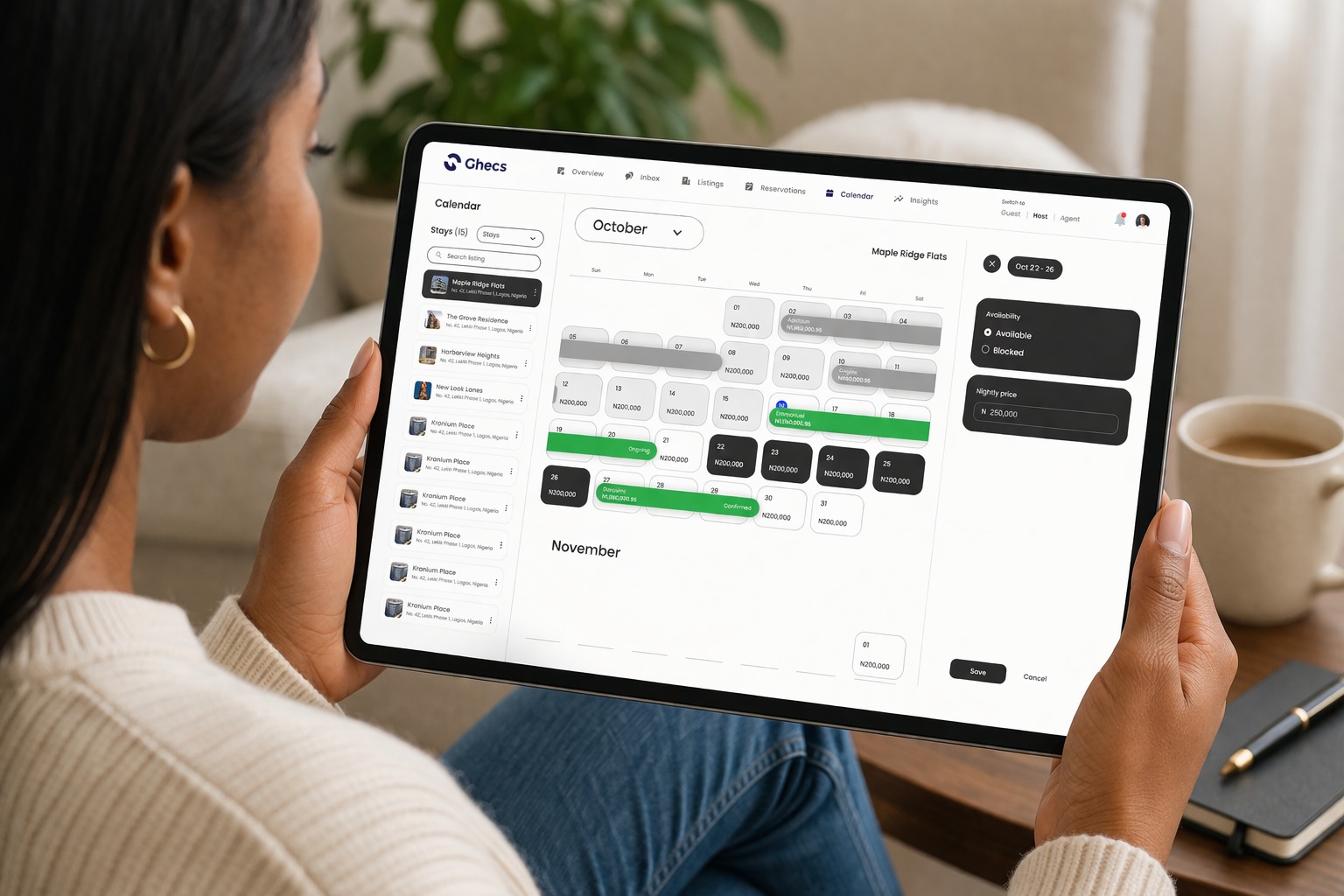
In Part 1 we explored the Ghecs Host Overview page. Now we go deeper into one of its most powerful tools: the Ghecs Host Calendar.
Whether you're managing a single apartment or a portfolio of properties across Lagos, Abuja, or anywhere in Nigeria, the Calendar transforms how you track availability, manage bookings, and maximize your rental income. Say goodbye to scattered spreadsheets and missed bookings.
1. Navigation
Centralized Property Calendar Management
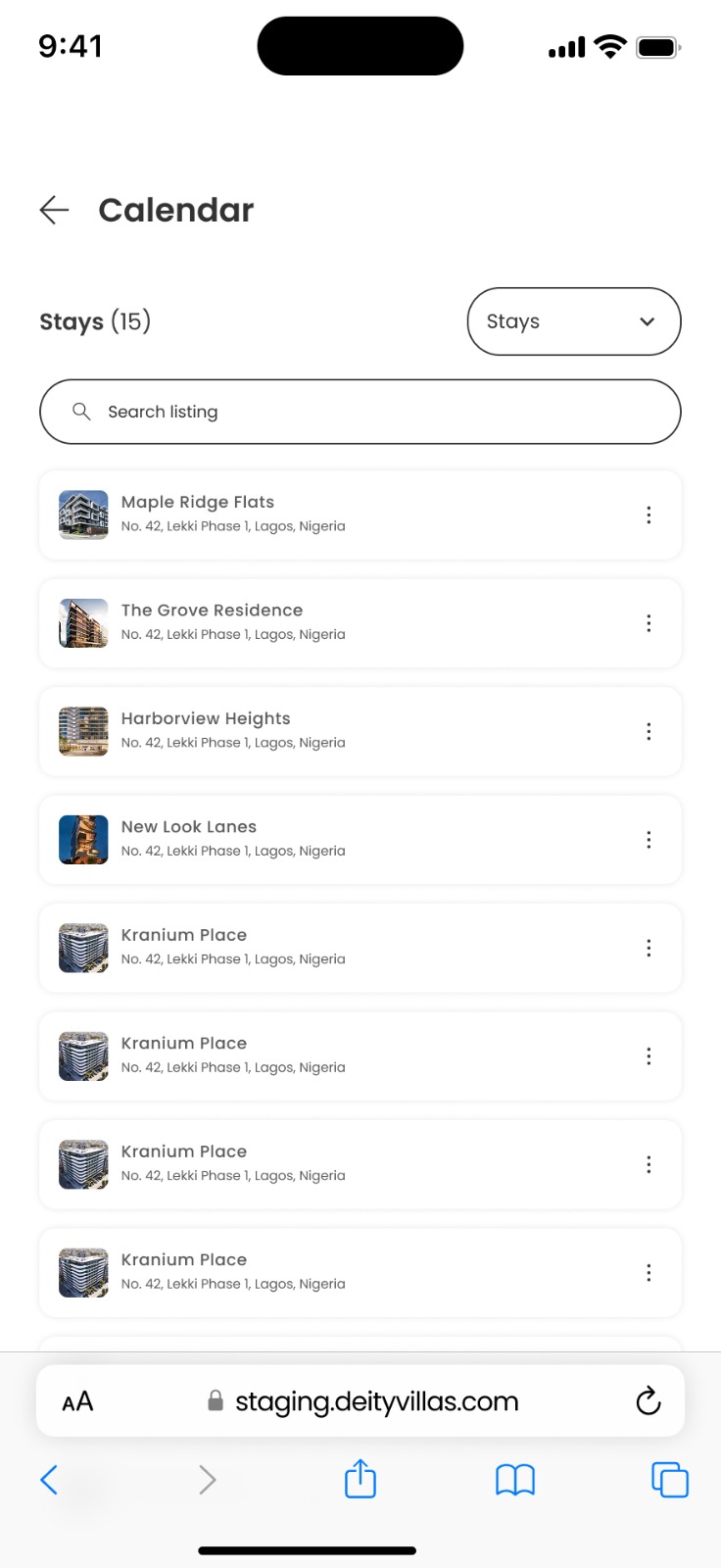
From the Ghecs host dashboard, tap Calendar in the navigation. You'll land on a dedicated screen listing every property on your account complete with listing photos, names, and addresses all searchable in one place.
The Ghecs Calendar gives you a bird's-eye view of all your properties in one centralised dashboard. Each property card shows essential information including location and current booking count, enabling quick property identification and selection.
2 . Reservations
Real-Time Booking Visibility & Status Tracking
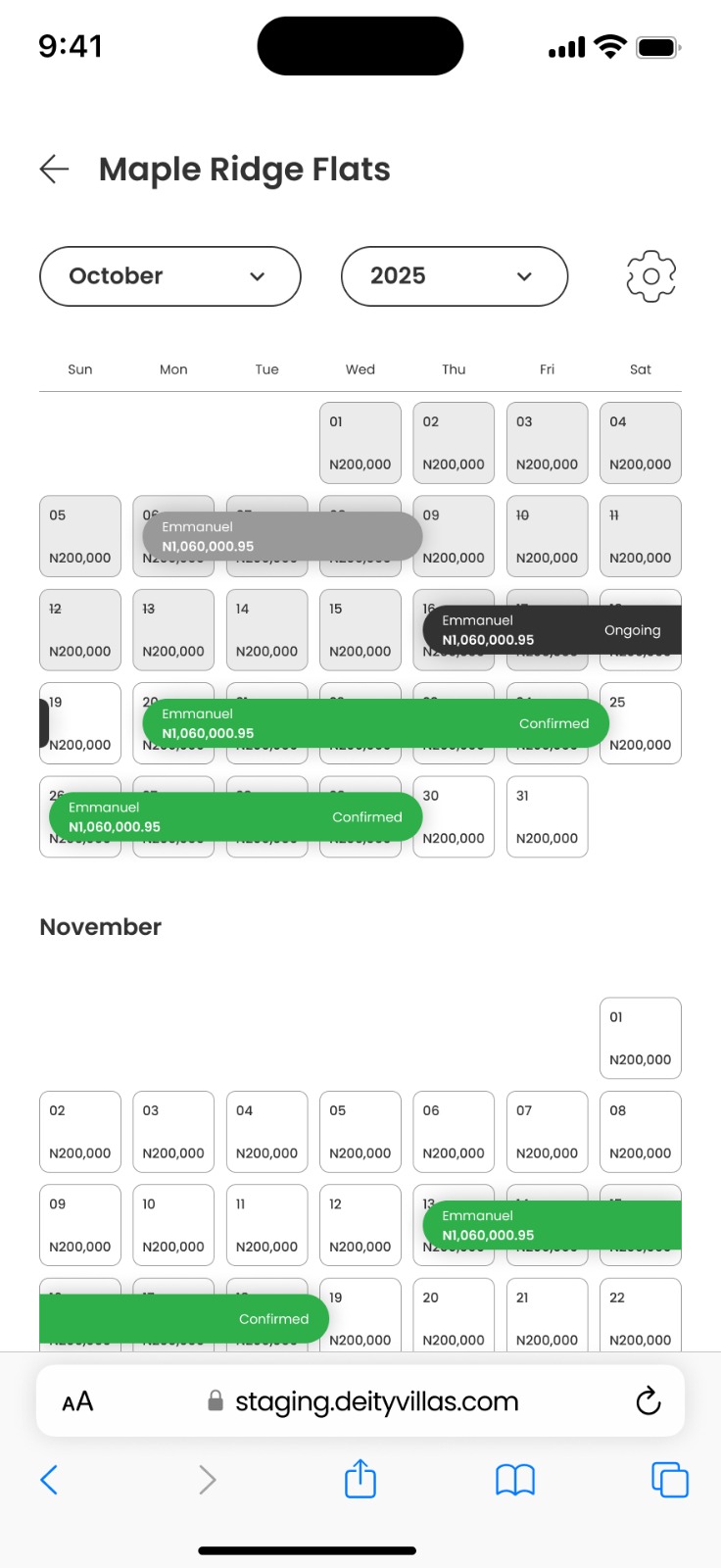
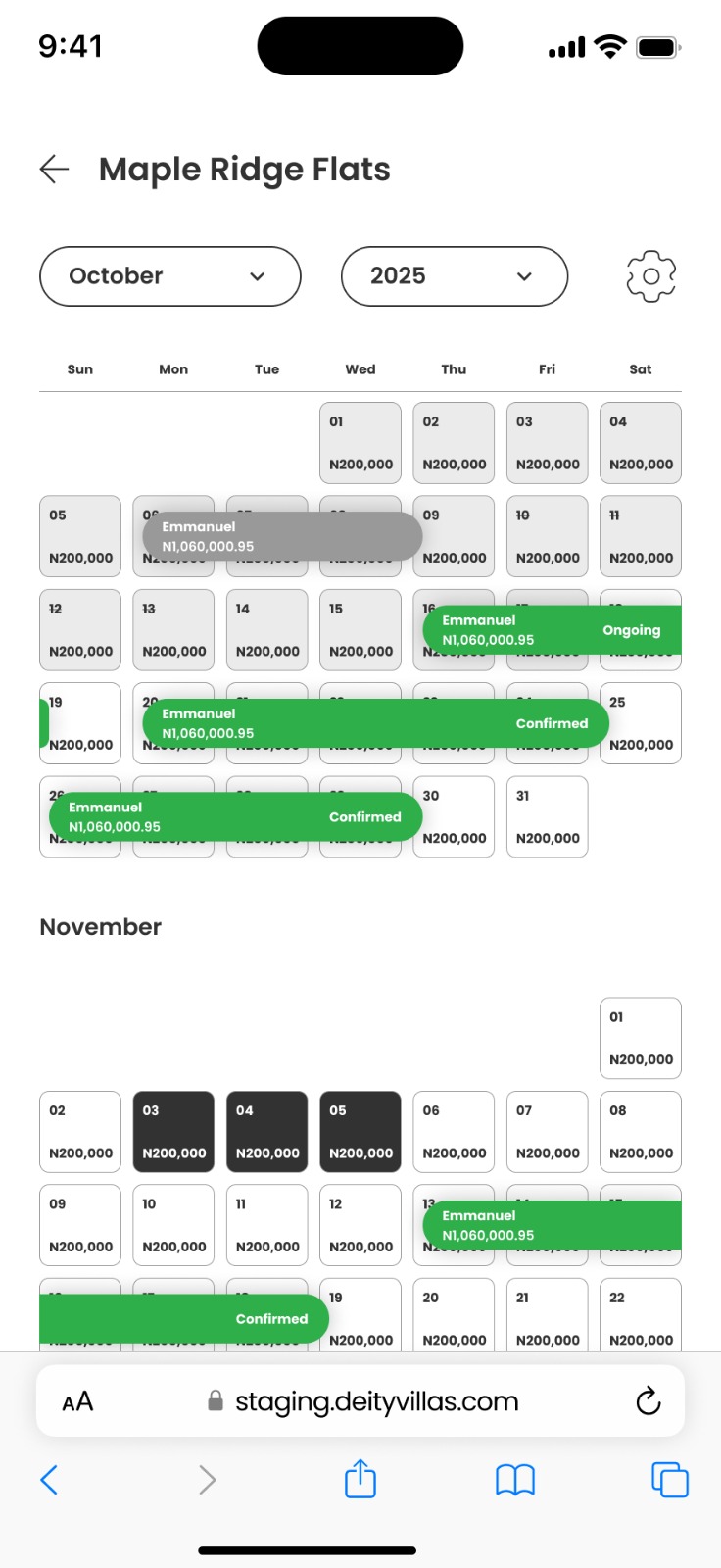
Tap any property to open its full monthly calendar. Every reservation is displayed directly on its dates, colour-coded by status so you can instantly tell what's happening across your calendar at any point in the month.
Track guest information, booking duration, and payment details without ever switching between multiple screens.
3 . Booking Details
Full Reservation Details at Your Fingertips
Tap any reservation on the calendar to open its full detail page. You get everything you need to know about that booking guest info, exact dates and times, and a complete payment breakdown without leaving the calendar.
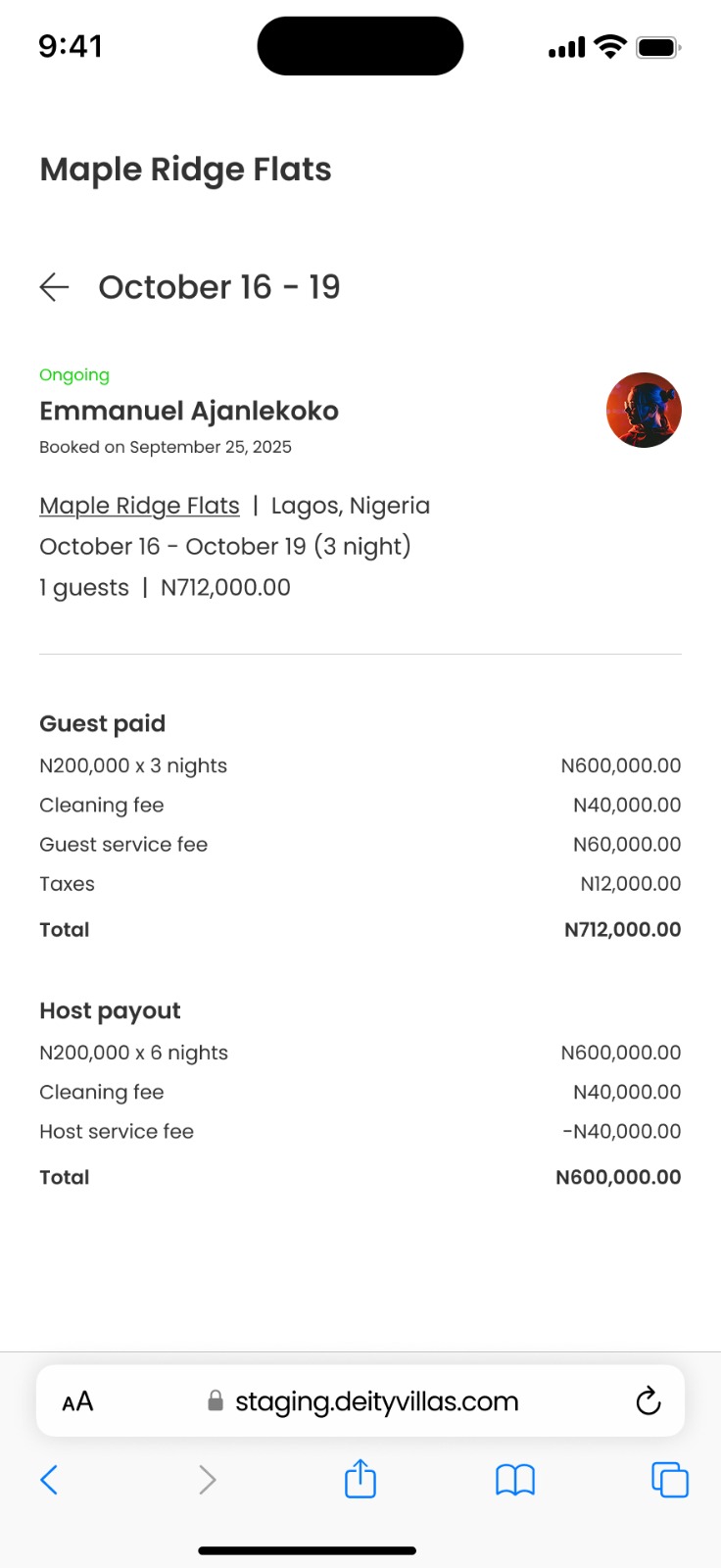
Reservation status - Ongoing, Upcoming, or Completed shown prominently at the top.
Guest name, photo & booking date - Who booked, their profile photo, and when they originally made the booking.
Property, location & stay dates - Exact check-in to check-out dates and total number of nights.
Guest count & total paid - Number of guests and the full amount the guest paid.
Guest paid breakdown - Nightly rate × nights, cleaning fee, guest service fee, and taxes.
Host payout breakdown - Your earnings after the Ghecs host service fee is deducted.
4. Availability
Blocking & Unblocking Dates on Your Calendar
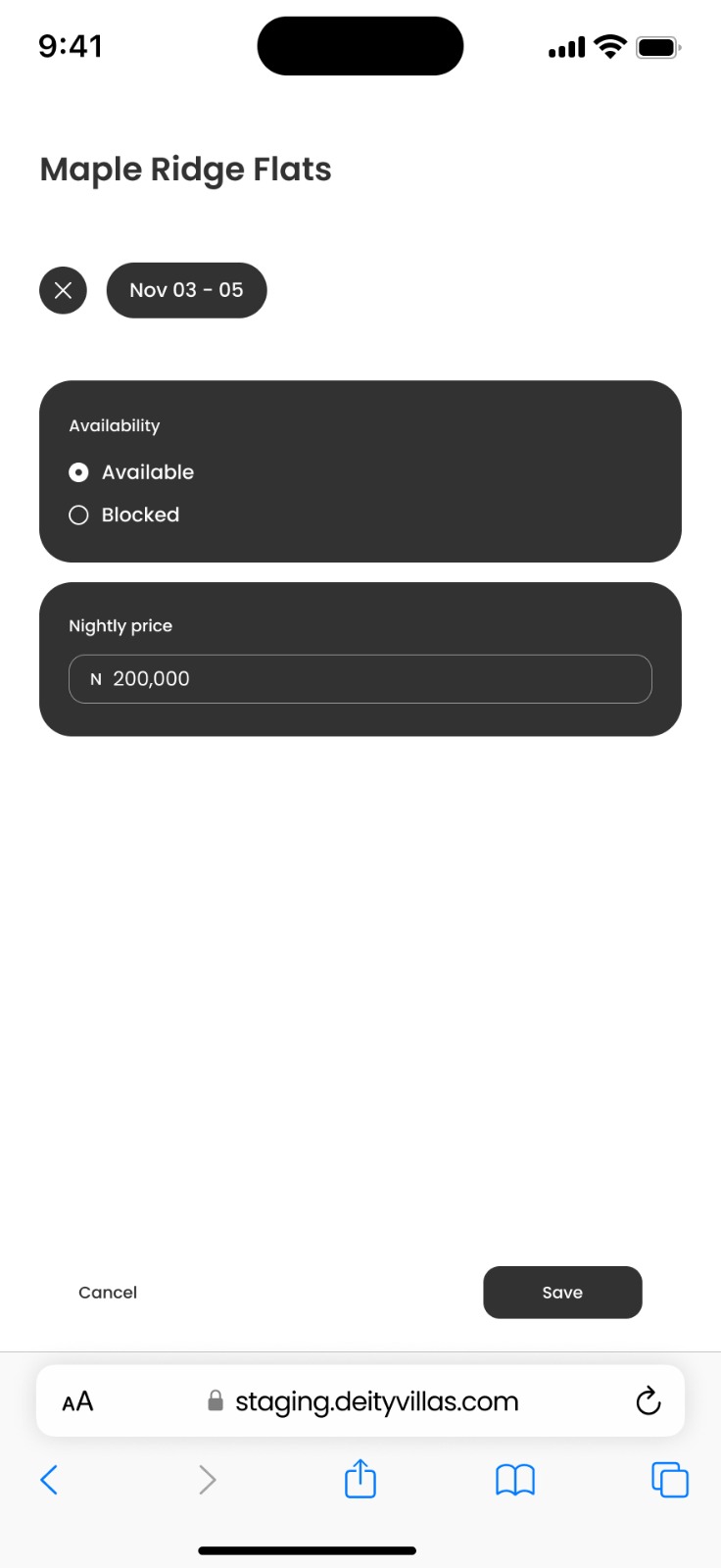
Need to close off your property for maintenance, personal use, renovation, or any other reason? Simply tap on any date or drag across a range to select it then choose to block it. The dates turn dark on the calendar instantly, and guests can no longer book those periods.
5. Revenue Optimization
Setting Custom Nightly Prices for Specific Dates
The same panel that lets you block dates also lets you set a custom nightly price for any date or date range separate from your default listing price. This is how experienced hosts maximise their rental income throughout the year.
Simply select your dates, then enter your custom price in the Nightly price field and tap Save. Your default price applies to all other dates automatically.
Smart Pricing Strategies for Nigerian Hosts
Increase prices on peak dates - Public holidays (Christmas, Easter, Eid al-Fitr), major events, and long weekends see higher demand. Raise your rate by 20–50% on these dates.
Reduce prices during low-peak periods - Mid-week stays and quieter months can be incentivized with a modest discount to fill calendar gaps and recover income.
Set weekend premiums - Many hosts charge more for Friday and Saturday nights than Sunday through Thursday.
Last-minute deals - If a date is approaching and still unbooked, a small price reduction can attract a last-minute guest and prevent a dead night.
Event-based pricing - Abuja CHOGM, Lagos Fashion Week, concerts, or sports events near your property? Bump your rates accordingly during those periods.
Why Property Managers Choose the Ghecs Calendar
For property managers in Lagos, Abuja, and across Nigeria, the Ghecs Calendar is a significant upgrade from traditional booking management methods. The platform integrates seamlessly with your existing workflow while providing the professional tools needed to scale your short-term rental business.
Prevents double bookings - Real-time sync means no two guests are ever booked for the same dates.
Instant booking history - Access financial summaries and past reservation records in seconds.
Manage on the go - Full calendar management from your phone, whether you're on-site or away.
Clear payment transparency - Both host and guest see exactly what was paid, what was deducted, and what the payout is.
Scales with your portfolio - Whether you have 1 listing or 20, the same tools apply with zero added complexity.